Everything camp takes to run.
Enrollment, billing, medical records, scheduling, communications, a cashless store, and your public website, all connected in one platform. One login, one ledger, every part of camp.
Run the whole season from one console
Structure, roles, branding, and a full audit trail in one place. The foundation every other module builds on.
Networks and seasons
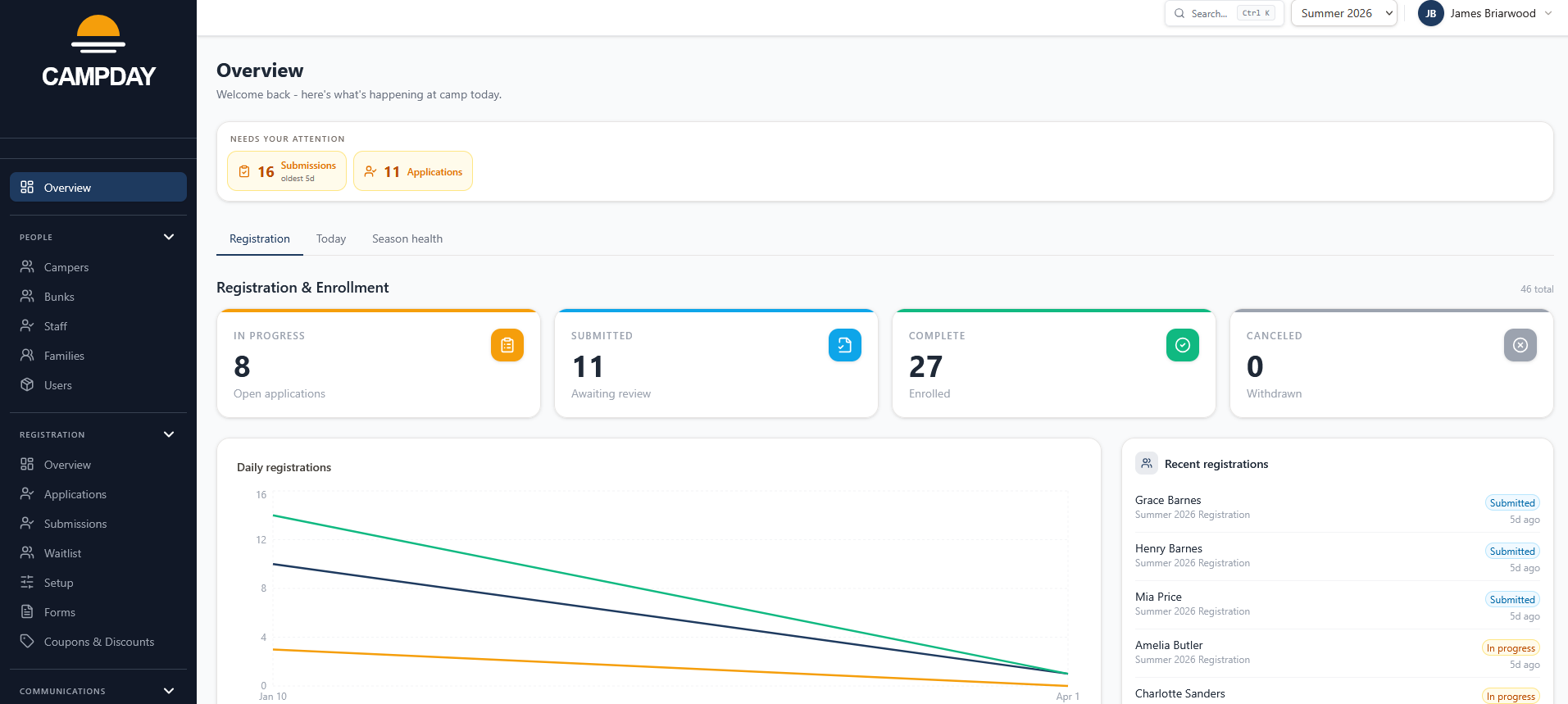
Run one camp or a dozen from a single login. Each camp keeps its own rosters, finances, and reports; everything shared - staff accounts, branding, analytics - rolls up to the network. Starting a new season takes seconds: copy the prior year and dates shift automatically.
Cross-camp overview
Enrollment totals, revenue, and key metrics across every camp in your organization in one view. Branding flows down from the network so camps without their own assets always look on-brand.
Role-based access
Give every staff member exactly the access they need - nothing more. Medical staff see health records without touching financials; counselors use the POS without reaching admin settings. Sensitive actions are easy to audit and revoke.
Camper, parent, and staff management
Import rosters, link campers to parent accounts and multiple households, and flag allergens that flow automatically to the store checkout and health record. Staff are assigned per season with role and type so the right people see the right things.
Session filter on admin lists
Every admin list - campers, staff, parents, and the bunking board - has a session filter. Pick a session from the dropdown and the list narrows to the people enrolled or assigned for that window. Switch back to All sessions for the full season view.
Divisions, grades, and structure
Define your camp's structure once and every other module uses it. Eligibility rules, bunk assignments, targeted broadcasts, and custom reports all draw from the same shared configuration without re-entering anything.
Custom branding
Your camp's logo, favicon, color, and hero image carry through the admin console, POS checkout, and parent portal so every touchpoint feels like your camp. The favicon appears in browser tabs on both the admin panel and your public site.
Cmd-K search
Press Cmd+K from anywhere in the admin panel to search campers, families, and staff by name and jump directly to their record. No need to navigate to a list and scroll.
Custom domains
Attach your own hostname - parents.yourcampname.com or yourcampname.com - so families never see a campday.app address. DNS verification and SSL are managed from the admin panel with a step-by-step setup checklist.
CMS marketing pages
Build branded marketing pages directly in admin using hero, text-and-image, call-to-action, and contact blocks. Publish with one click; your full-site domain serves the pages instantly with edge caching.
Audit trail
Every refund, role change, medication administration, and financial action leaves a permanent, queryable record. When a parent calls or an auditor asks, you have the answer.
Device and user controls
Add staff, assign roles, and set up POS devices without IT. Permissions, sync status, and user management all live in one admin screen.
From first application to final amendment
Every step of the enrollment lifecycle in one place - screening, capacity, waitlists, and post-enrollment changes - without stitching together separate tools.
Deep dive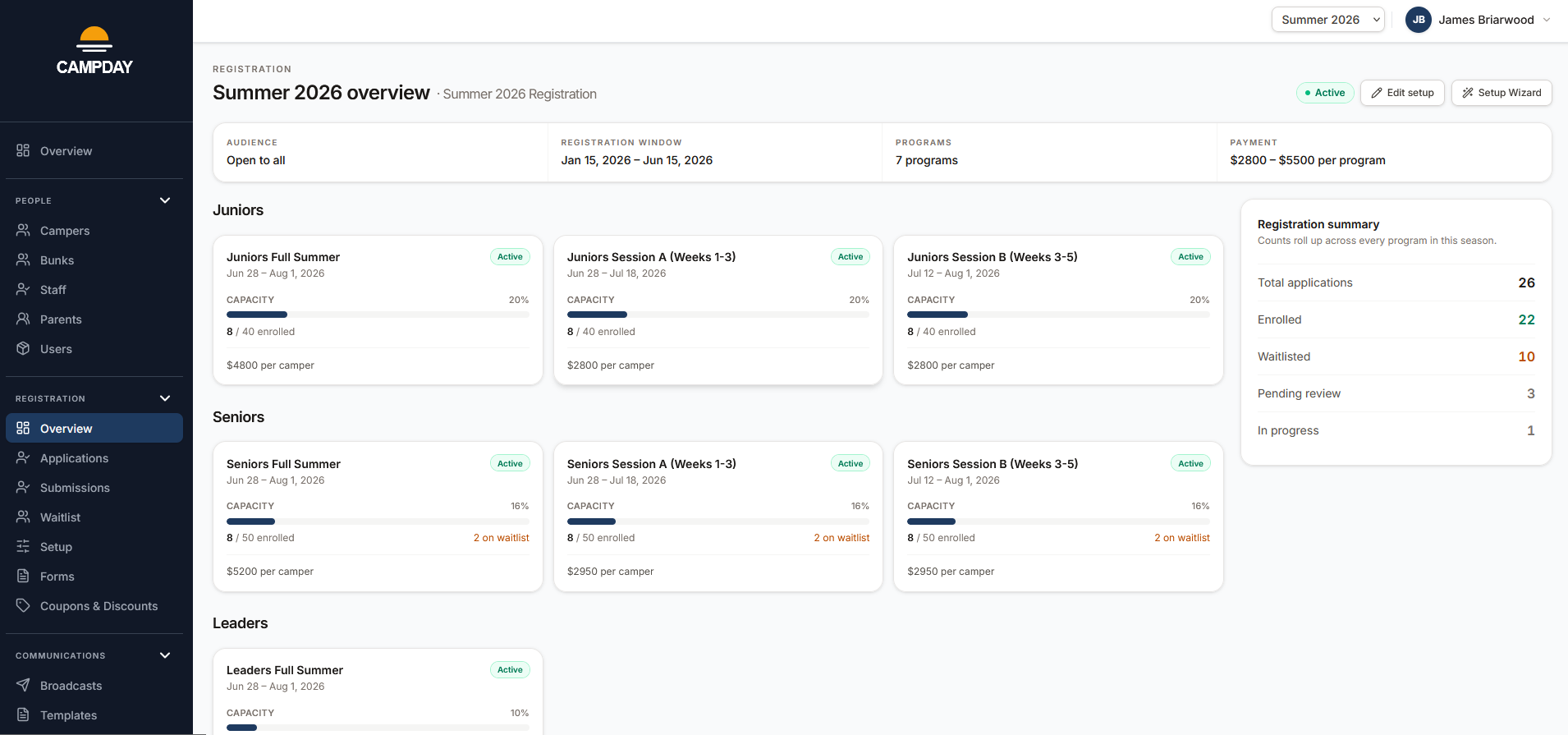
Pre-registration applications
Screen families before enrollment opens. Parents submit an application, admins review and approve, and only approved families get access to register. Status tracking covers In progress, Submitted, and Complete, with per-step Approve, Request changes, and Reject actions during admin review.
Registration setup
Every detail of a registration - sessions, capacity, forms, audience rules, and payment settings - in one place. No bouncing between screens to check what you configured; the full picture stays visible while you work.
Multiple registrations per season
Reward loyalty without running a separate system. Layer returning-family priority, alumni early access, and open registration in one season - each with its own window, audience, and pricing. Families see only the window they qualify for.
Custom registration forms
Attach the right forms to the right sessions - health history, emergency contacts, equipment size - and answers flow directly into each camper's record. No paper, no re-keying, no chasing down incomplete submissions.
Guided registration flow
Parents walk through enrollment step by step: pick a session, complete forms, set up payment. Progress saves automatically so they can come back later, and siblings share family-level steps automatically so nothing gets filled out twice.
Skippable steps with follow-up
Let families hold a spot before their paperwork is done. Mark any non-payment step as skippable and parents can register now and finish later - Campday sends a reminder automatically. Enrollment is secured; the to-do list takes care of itself.
Audience-gated registrations
Open enrollment exclusively to the families who've earned early access - returning campers, alumni, or an invite list - without building a separate system. The same season handles every window; families only see the one they qualify for.
Capacity you control
Set capacity once and let the system enforce it. A “Full Summer” enrollment draws down every week it covers automatically. Double-booking is impossible because all options that share a week pull from the same counter.
No double-booking
When overlapping enrollment options compete for the same week, they share one capacity pool. Set it once and every option that touches it draws from the same bucket - no manual reconciliation when a full-summer spot fills a week-one slot.
Add-ons with their own caps
Bus seats, early care, and meal plans have their own capacity independent of enrollment. Cap each add-on per session and it simply becomes unavailable when it fills - no overselling, no manual tracking.
Guided setup, step by step
Go from blank to a fully configured registration in one guided workflow covering sessions, capacity, forms, payment, and review. Each step saves as you go so you can stop, come back, and pick up exactly where you left off.
Waitlist with one-tap offers
When a spot opens, the next family in line gets a time-boxed offer link. If they don't accept in time it rolls to the next automatically. No manual follow-up, no missed fills.
Enrollment amendments
Change a camper's session, swap options, or adjust dates after enrollment without unwinding the original. Billing and capacity update in the same step.
Mid-season changes
Add or drop sessions and add-ons after enrollment closes with automatic payment plan rebalancing, price overrides with a tracked reason, and a one-click parent notification. Apply the same change to dozens of campers at once from the bulk amendments page.
Multi-household families
When parents are in separate households, each one sees the campers they care for and can pay their own share independently. No awkward shared accounts.
One ledger from deposit to final balance
Families always know what they owe and why. Every charge, payment, and credit in one place so balances are never a mystery.
Deep dive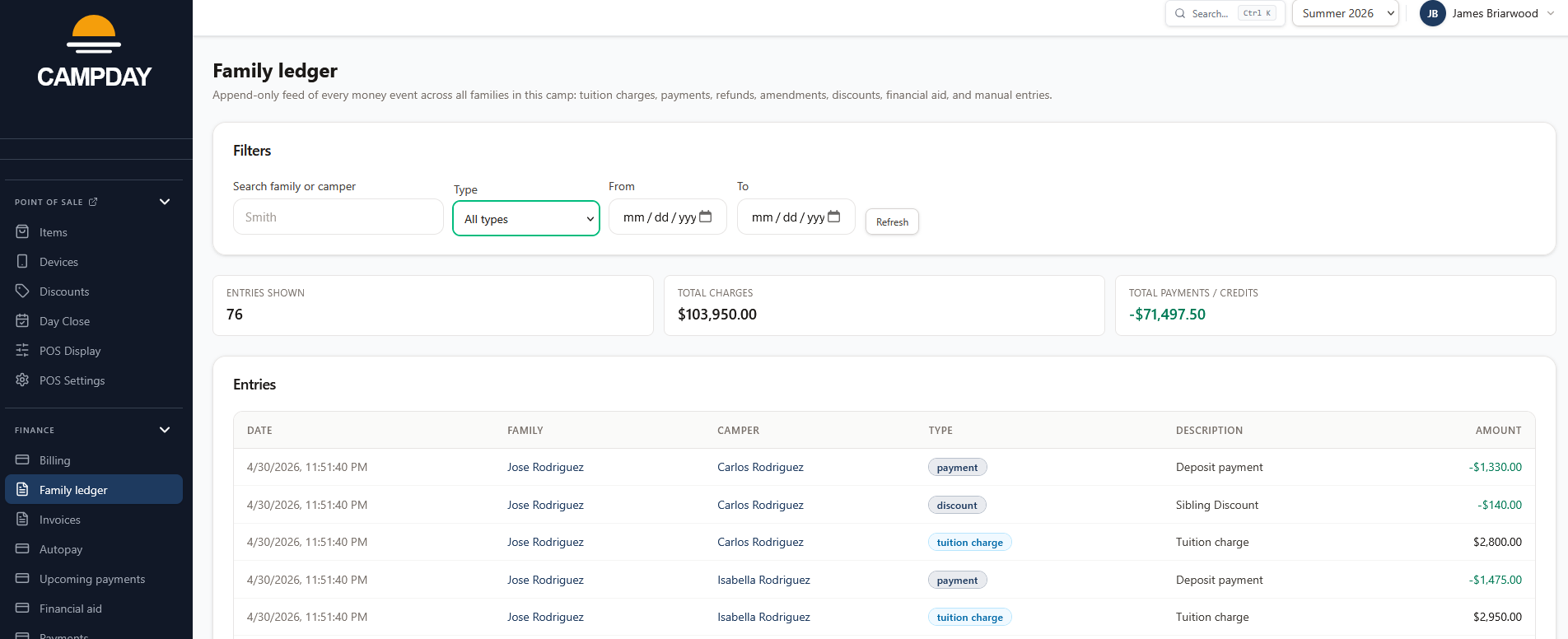
Unified family ledger
Every charge, payment, refund, credit, and financial aid award in one place. Balances are always accurate because there's only one ledger - no reconciling between systems.
Payment issues queue
Failed payments surface in one dashboard instead of buried in Stripe. One-click retry, parent re-prompt, and notes per case so nothing slips and no one has to manually track who owes what.
Low-balance alerts
Set a threshold and parents get an automatic heads-up before their camper's store credit runs dry. No phone tag, no surprised kids at the snack bar.
Coupons and discounts
Powerful enough for complex promotions, simple enough to set up in minutes. Build eligibility from any combination of camper, family, application, or payment data; pick a benefit and a target; control stacking so discounts never combine in ways you didn't intend. Coupon codes layer on top of the same rules engine so everything behaves consistently.
Payment plans and schedules
Offer flexible payment options without complicating enrollment. Plans attach at the application level - parents choose pay-in-full or installments at checkout and the rest of the setup stays the same.
Invoices and batches
Invoice one family or an entire session at once. Families get a PDF and a portal link; admins see who opened it, who paid, and who still owes - without a single spreadsheet.
Autopay with retry ladder
Families opt in once and installments collect themselves. If a payment fails, Campday retries on a +3/+7/+14 schedule before flagging the account - so most issues resolve without anyone making a call. Admins can pause autopay camp-wide with a required reason when needed.
Upcoming payments dashboard
See every scheduled charge ahead of time. Filter by date, status, and autopay flag, then send reminder emails or run a charge for everyone matching the filter in one click. Every email and charge is logged for audit.
Auto reminders to parents
Set how many days before each charge to email parents. Reminders go out daily on cron, are idempotent, and skip families with no email on file. Custom subject and body templates available per camp.
Admin pre-charge digest
Receive a daily digest before a batch runs. Choose the recipients and the lead time. Useful for finance staff who want a heads-up before money moves.
Financial aid and credits
Award need-based aid or courtesy credits and have them show up immediately in the family balance. Credits apply automatically to the next charge so families never have to call in to redeem them.
Installment refunds
Refund installment payments back to the original card or as a ledger reversal, full or partial. Cash, check, and ACH payments refund as ledger-only. Every refund is audit-logged and the family balance updates immediately.
Custom payment methods
Take Stripe cards and ACH alongside checks, Venmo, or wire. Each offline method gets its own instructions and families can log a payment themselves - admins reconcile from the same ledger without a separate tracking sheet.
Configurable processing-fee passthrough
Set a percentage, flat fee, or cap per payment method and families see the exact total before they confirm. Applies to deposits, autopay installments, and manual installment payments.
Keep campers safe and schedules on track
The information your staff need to protect campers - health records, medications, incidents, attendance, and bunking - available to the right people, when they need it.
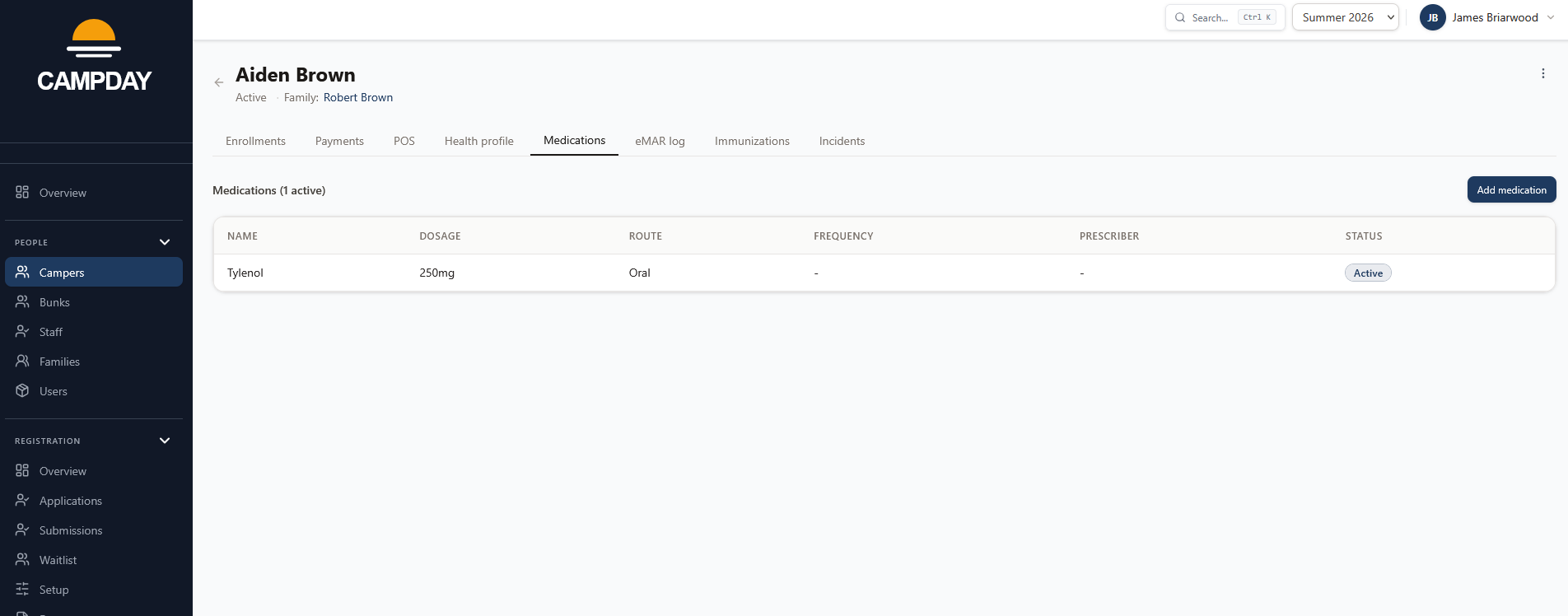
Health profiles
Allergies, dietary restrictions, and health notes live on the camper record and surface automatically - at the POS checkout, in the medical log, and on printed rosters. Staff have what they need without hunting for it.
Tablet eMAR and med-pass
Every administration - scheduled or as-needed - is logged with who gave it, when, and what dose. The tablet-optimized med-pass screen at /staff/med-pass keeps medical staff off laptops and on the floor. The result is a defensible electronic MAR directors can audit at the end of the season.
Immunizations
Capture required immunization dates against each camper's record.
Incident reports
Document injuries, behavioral events, and medical incidents completely - photos, witnesses, follow-up notes. When a parent calls or questions arise later, the record is there.
Tablet attendance and authorized pickup
Track arrivals, departures, and daily attendance by session from a tablet-optimized roster. Before a camper leaves, staff confirm identity against the authorized pickup list - safe, auditable, and faster than paper sign-out sheets.
Bunking board
See every camper, every bunk, every conflict in one view. Drag to assign; capacity limits, gender, and age conflicts flag inline so problems get caught before campers arrive.
Day-close reopen
Need to correct a closed day? Admins can reopen any closed day with a required reason. The reopen is logged to the audit trail and the day returns to an editable state without touching prior-day summaries.
Plan the day, then measure the season
Schedule with confidence knowing conflicts are caught automatically, then answer any question about the season without waiting for a developer.
Deep diveActivity scheduler
Plan the day on a visual grid knowing it's enforced. Capacity rules and camper eligibility prevent overbooking automatically - so admins spend less time fixing conflicts and more time building programs campers remember.
Locations management
Define the physical places where activities run - pool, field, gym - with capacity limits, shareability settings, and optional walk zones. Effective capacity at scheduling time is the minimum of activity and location caps, so nothing gets overbooked.
Leagues and teams
Create leagues with custom scoring schemas (Simple W/L, Points, or custom fields). Build teams with colors, assign captains, and manage rosters with drag-and-drop. One team per league enforced automatically so campers are never double-booked within a league. When a new session begins, restart a league in one click: the finished league is archived with its games, standings, and playoff history saved read-only, and a fresh league starts with the same teams and settings.
Programs
Non-competitive groups (hiking club, drama, art) that run alongside league games during the same period. Each program has its own roster and staff list. Campday warns when a camper is already on a league team, and a built-in report flags anyone left unassigned for the block.
Camper ratings grid
Rate every camper 1-10 per activity in a spreadsheet-style grid. Keyboard-first navigation with arrow keys, debounced auto-save, and paste-from-CSV import. Ratings are the fuel for balanced team generation.
Balanced team generator
Generate teams that minimize skill variance with one click. Pick the activities to balance on, set the number of teams, preview strength bars and variance score before applying. Dry run always first - you confirm before anything changes.
Day-board scheduler
A full-bleed drag-and-drop day board for directors. A sticky tile palette with nine typed tiles (Activity, Special, Lunch, League Game, Split, and more) sits above a (period x group) grid. Drop a tile onto any cell to place it, click to edit, lock cells to preserve them on regenerate, and see live conflict badges - hard in red, soft in amber - before you publish.
Day templates
Build reusable day blueprints once and stamp them onto any date in seconds. Each template defines an ordered list of periods with names, times, modes, and allowed activities. Apply to a day to seed the schedule skeleton; per-day edits never change the template. Free-form tags (rainy, color war, trip day) let directors group and pick the right blueprint for conditions. One-click duplicate makes seasonal variation cheap.
Auto-draft with locks and decision trace
One click fills the day around your locked cells, honoring capacity, location limits, eligibility, and double-booking rules. Hover any auto-placed tile to see why it was chosen. Lock what you like and regenerate the rest: by full day, single period, or single group.
Bunk-mode and league-mode periods
Each period is either bunk-mode (bunks rotate through activities) or league-mode (teams play matchups). The distinction is enforced from the moment you create the period - no accidental mixing of group types in the same time slot.
Publish daily schedule
When a day is ready, directors publish it with one click. The publish action validates every cell before committing - hard violations (capacity overflow, double-booking, invalid locks) block publish and surface in a blocker modal with a jump-to-cell link per conflict. Unpublish is one click away. A green ribbon on the day board signals published state at a glance.
Print Center
Print or export the daily schedule in three views: Master Schedule (full division grid), Individual Bunks (per-bunk list), and per-camper schedules. The Master view lets you select any combination of divisions and export to Excel with one sheet per division. Bunk view exports one sheet per bunk. The browser print dialog renders a clean, camp-branded layout with page breaks between sections.
Staff schedule view
A mobile-first read-only view for staff. Each period is a card with time, activity, location, and bunk assignment. Camp-wide tiles like lunch and dismissal appear alongside activity assignments. Staff access their schedule from /staff/schedule without any admin access.
Camper schedule view
See every camper's day in one grid, resolved from their bunk's schedule. Per-camper overrides sit on top of the group schedule and are visually distinct: the grid shows the source of each cell (bunk schedule, team schedule, camp-wide, or override) so the full picture is visible at a glance. Export the resolved view to CSV, XLSX, or PDF.
Camper locator
Find any camper in seconds. Type a name, pick a time (right now or a past moment), and see exactly where they are based on their bunk's schedule and any per-camper overrides. Available from the admin home page and from the global Cmd+K command palette.
Activity-to-location mapping
Link each activity to its allowed locations. During scheduling, only valid location pairings are offered - no more assigning swimming to the soccer field by accident. Leave unlinked to allow the activity anywhere.
Division eligibility per activity
Restrict activities to specific divisions when age-appropriateness or equipment matters. Leave unlinked for camp-wide activities. The scheduler enforces eligibility automatically.
Rainy day mode per activity
Mark each activity as Normal, Rainy day only, or Never rainy. When the director flips the rainy day switch the scheduler substitutes the right activities automatically - no manual rework of the whole day.
Division and bunk colors
Assign a color to each division and bunk. Colors appear as pills in the admin lists and as column headers in the day grid, so directors can orient themselves on a 30-bunk schedule at a glance.
Custom report builder
Answer any question about your season without waiting for a developer. Pick an entity, choose fields and filters, run it, and save it for next time. Share it with the team in one click.
Scheduled reports
The reports you run every Monday, every Friday, and end of session can send themselves. Daily rosters, weekly billing summaries, and end-of-season metrics arrive in your inbox on the cadence you set.
Export to CSV, XLSX, PDF
Every report exports in the format your board, auditor, or accountant needs. Totals included where they make sense.
Reach the right families at the right time
Send the right message to the right people without managing three different tools. Email, SMS, and automated notifications from one place.
Deep dive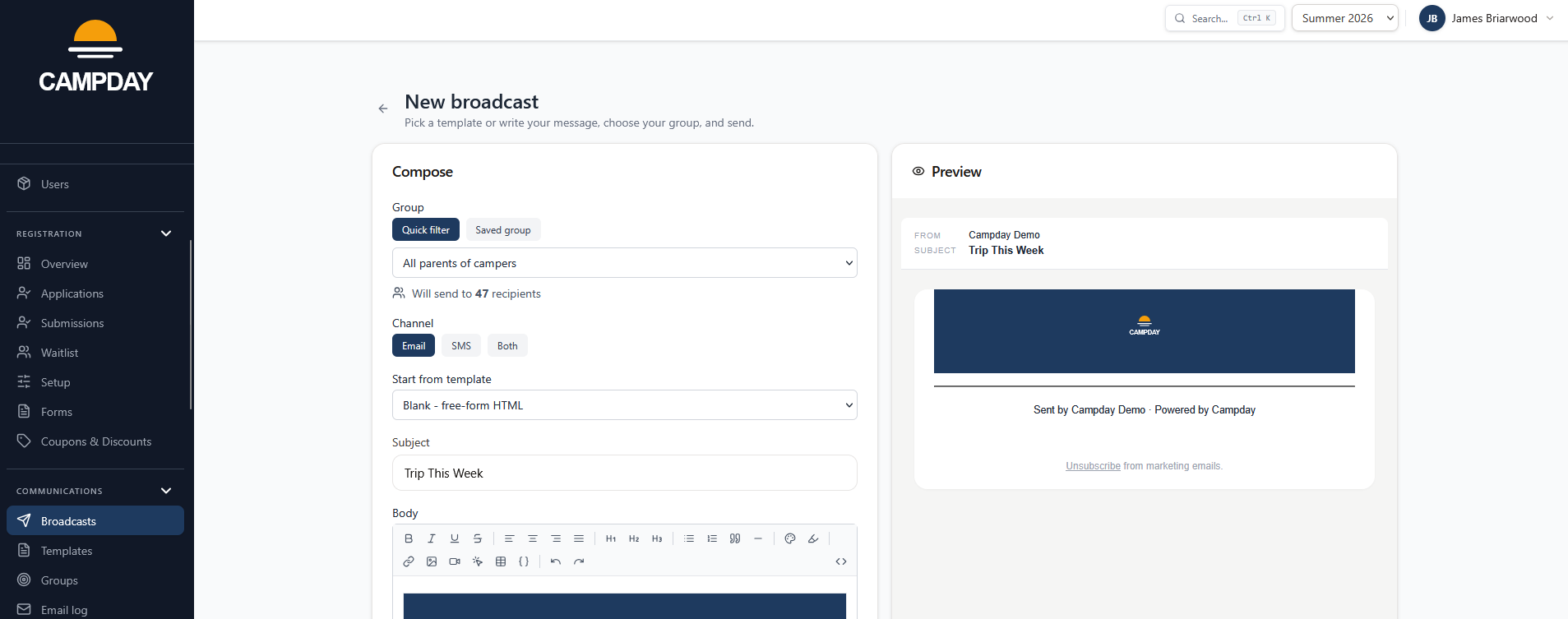
Broadcast email
Reach exactly the right families without building a list by hand. Pick a saved audience - a bunk, a session, everyone registered - and send. Opens, bounces, and failures show in the delivery log so you know it landed.
Saved audiences
Build a recipient group once - parents of bunk 7, everyone with a balance due, all staff of a given type - and reuse it every time. Audiences stay current as enrollments and assignments change.
Email and SMS with per-channel templates
Some things can't wait for email. Send a text for a late bus, a weather closure, or an urgent pickup request. Each template has separate email and SMS variants with a live segment estimate so you know the reach before you send.
Scheduled sends
Queue a broadcast to go out at a specific time. Upcoming scheduled messages are visible in a dedicated admin view so nothing sends unexpectedly and any message can be edited or cancelled before it goes out.
Report-powered mail merge
Drive a personalized email from any saved report. Choose who receives it - all parents, primary contacts only, staff, or email addresses pulled straight from the report's columns - and each recipient gets one message covering just their rows, with a preview that pages through the real rendered emails before you send.
Deliverability dashboard
See delivery rate, open rate, bounce rate, and complaint rate across all sends. Per-send event logs (delivered, opened, clicked, bounced, complained) track full SMS and email event parity so you know exactly what reached each family.
Parent dashboard documents
Upload files (PDFs, images, DOCX, XLSX) that parents download from their dashboard. Target each one to a saved audience, schedule when it appears, and optionally email matching parents the moment it goes live.
Automated notifications
Registration confirmations, invoices, waitlist offers, and payment alerts send automatically when the triggering event happens. No manual triggers, no missed emails, and automatic retries if delivery fails.
Inbox compliance, built in
List-Unsubscribe headers and a public opt-out page handle compliance automatically. Your camp stays on the right side of inbox providers without admins lifting a finger.
Capture the data, then act on it
Collect what you need, route it through review, and have it land exactly where it belongs - no re-keying, no lost paperwork.
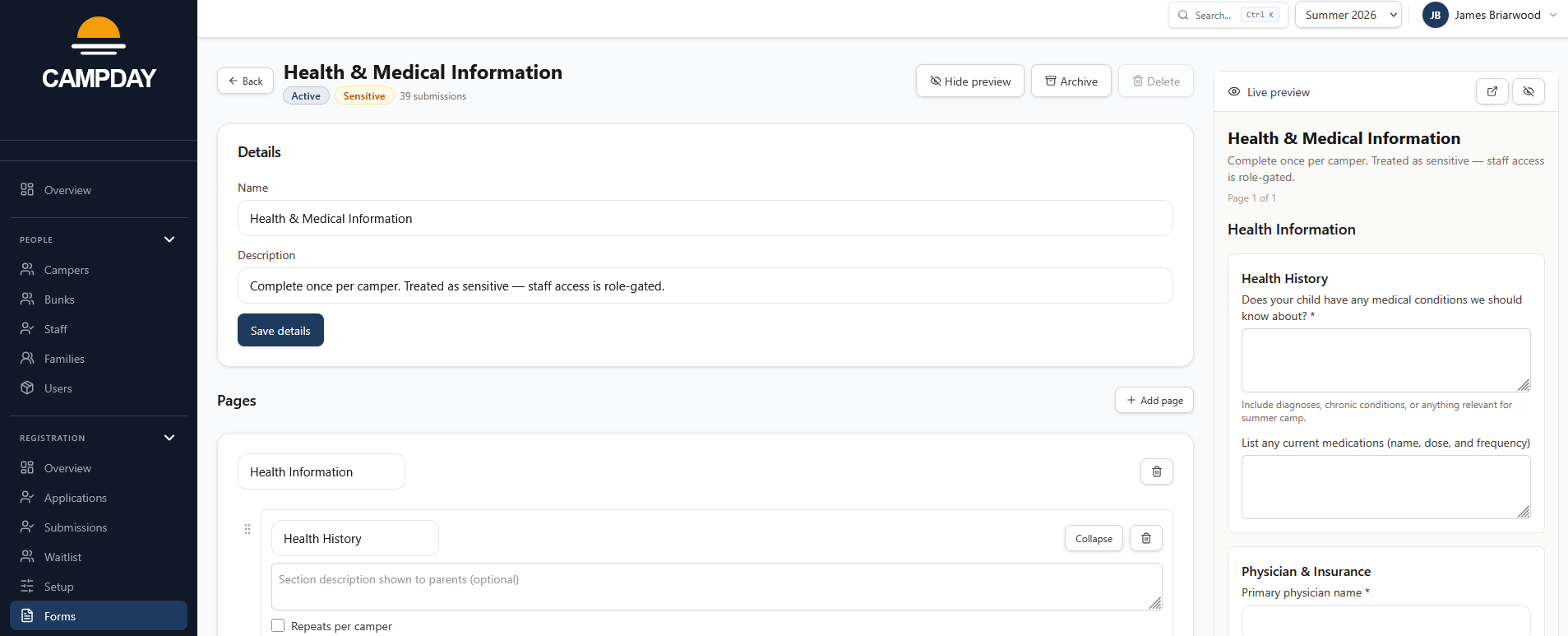
Form builder
Build any form your camp needs - health history, emergency contacts, waivers, equipment sizes - with 13+ field types. Build once and attach to as many registrations as you need.
Reusable form sections
Pull proven sections - emergency contacts, medical history, photo release - from a platform library instead of building them from scratch. Every camp starts with templates that have survived a real season.
Submission review workflow
Submitted forms land in a review queue where you can approve, request changes, or reject with a note. Parents are notified automatically so the back-and-forth stays in Campday, not a thread of reply-all emails.
Sensitive-data encryption
Mark a form as sensitive and every submission is encrypted at rest, scoped to medical-role staff. HIPAA-flavored data stays protected even if the database were accessed directly.
Signatures and file uploads
Collect waiver signatures and accept insurance cards or immunization records as part of the same form. No printing, no scanning, no emailing PDFs back and forth.
Answers go straight to the record
Form answers that belong on the camper or family record go there automatically. Allergens, emergency contacts, and health notes update the source of truth without anyone copying anything by hand.
PDF fill-in and e-signature
Upload any PDF, place fillable fields directly on the pages, and send it to families with one click. Recipients sign from any phone or computer without downloading an app. Completed documents are archived with a tamper-evident record and can be downloaded any time.
Conditional logic
Show or hide form fields based on a parent's earlier answer. Ask follow-up questions only when relevant - a camper who doesn't take medications doesn't see the medication detail fields. Field order is enforced so show-if conditions always reference earlier answers.
A branded marketing site, on your own domain
Build pages in a drag-and-drop CMS and host them on a Campday subdomain or your own custom domain. Custom domains and branded subdomains are included; the CMS page builder is a $500 / year add-on.
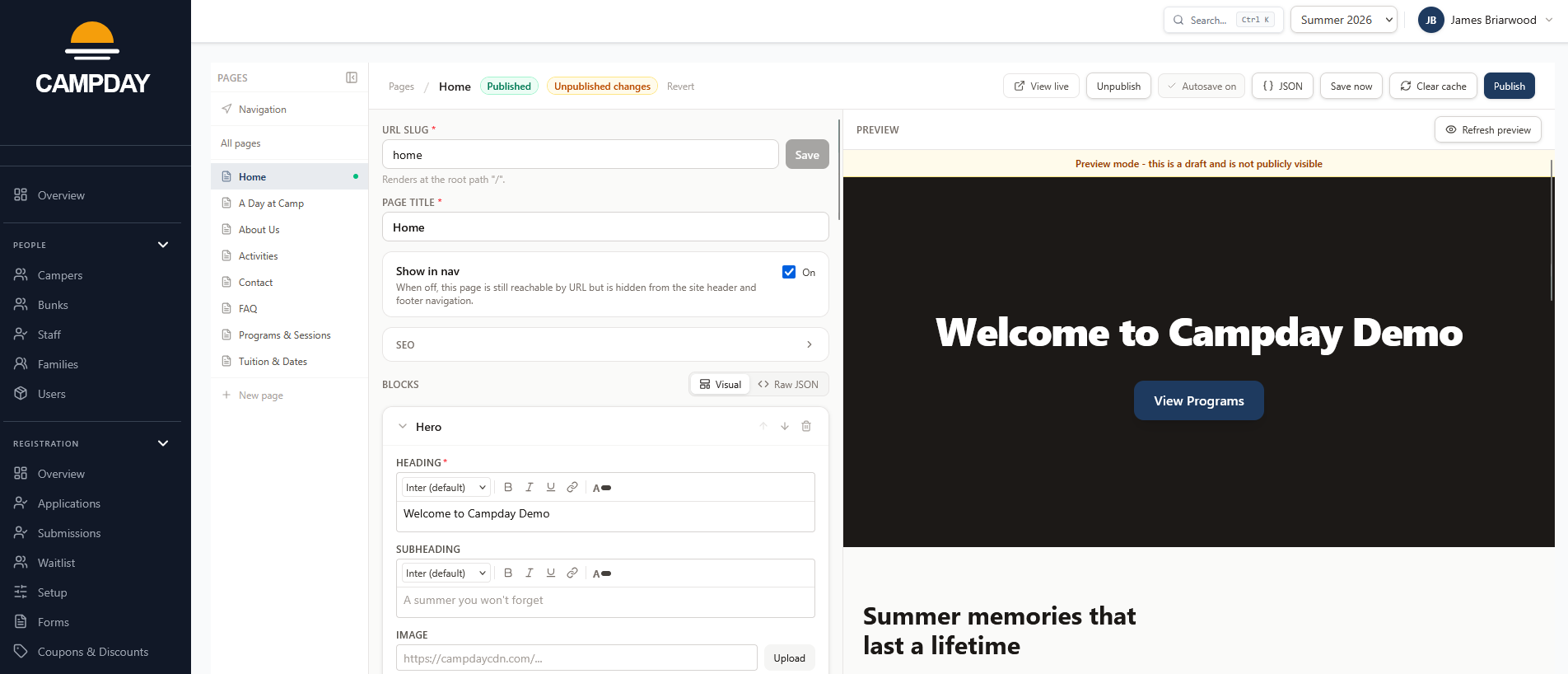
Drag-and-drop page builder
Compose pages from 11 block types: hero, text + image, CTA, contact info, contact form, gallery, feature grid, FAQ, rich text, video, and custom HTML. Every block is camp-branded out of the box.
Draft / publish workflow
The editor autosaves drafts as you type. When the page is ready, publish with one click. Every publish snapshots a version so rollback is one click away.
Navigation editor
Control exactly what appears in your site header and footer from one screen. Drag pages to reorder, toggle Show in nav per page, and add custom links for external URLs or section labels. Hidden pages are still listed so nothing gets lost.
SEO and social metadata
Per-page SEO title, description, and Open Graph image so links shared on Facebook, iMessage, and WhatsApp render with your branding.
Branded subdomain
Every camp gets a free yourcamp.campday.app subdomain with SSL handled automatically. The parent portal lives at the same hostname so families never bounce between domains.
Custom domains
Attach your own domain - parents.yourcamp.com for portal-only, or yourcamp.com for the full marketing site with the portal at /parent/*. DNS TXT verification, automatic SSL, and a step-by-step admin checklist that walks you through every record.
Domain verification and SSL
TXT-record domain verification, nightly re-checks, and SSL status surfaced inline. If a record disappears, the domain falls back to safe and admins are alerted.
Staff portal and point of sale
A dedicated staff portal for schedules, med-pass, and attendance - plus a tablet-first POS for the camp store.
Deep dive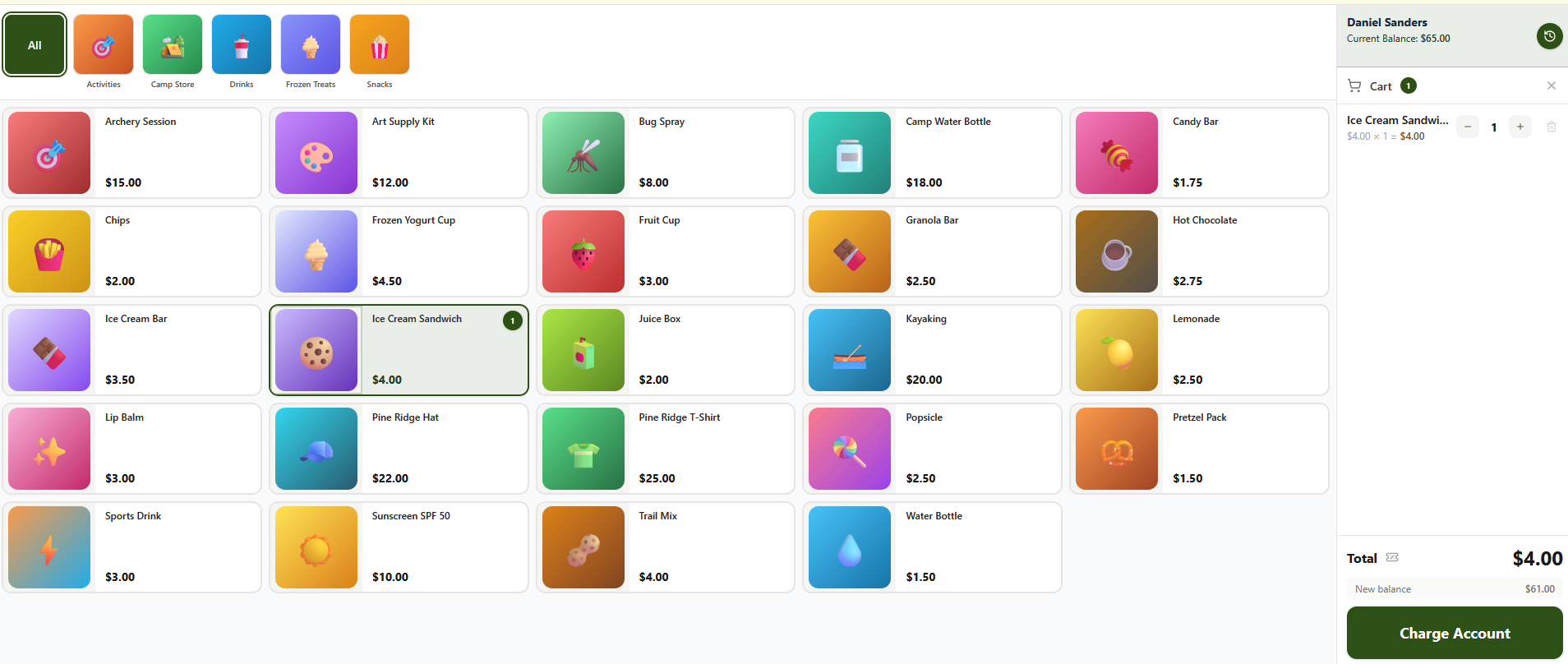
Staff portal and my schedule
Counselors and support staff log in at /staff to see their personal schedule for the day, broken down by period with activity, location, and bunk. No admin access required - staff see only their own assignments.
Offline-first checkout
The store keeps running during a Wi-Fi outage. Sales queue locally and sync when the connection returns - counselors never have to stop the line to troubleshoot the network.
Session-aware roster
On days when a camp session is running, the POS automatically narrows the camper and staff roster to that session. A soft banner appears when no session is active today so cashiers always know which roster they are seeing.
Fast camper lookup
Find any camper by name or from a bunk roster in seconds. No cards, no PINs, no lines backing up while families dig through their bags.
Prepaid balance spend
Campers spend from pre-loaded balances so parents never send cash to camp. Low-balance warnings at the register prompt a top-up before the credit runs out.
POS register discounts
Apply a staff-approved markdown at the register for special circumstances. Usage is tracked so end-of-day reconciliation stays clean - without touching the billing rules engine.
PIN-protected staff actions
Refunds, voids, and admin settings require a per-user PIN. The device locks automatically after inactivity and every sensitive action lands in the audit log.
Item add-ons and modifiers
Sizes, toppings, and extras attach to items at the register. Prices roll in automatically and allergen-blocked options are hidden for flagged campers - staff don't have to remember anyone's restrictions.
Allergen-aware item catalog
Tag items with allergens once and the register flags conflicts automatically when a camper with that allergen checks out. No memorizing dietary restrictions, no awkward moments at the snack bar.
Day close and reconciliation
End the day with a clean summary of sales, refunds, and net deposits ready for your books. No manual counting, no separate spreadsheet.
Queued transaction panel
When devices come back online after an outage, any unsynced transactions surface in the admin panel. Admins can retry or dismiss each one with a reason so reconciliation is always clean and nothing falls through unresolved.
Stay in the loop from anywhere
A mobile-friendly portal parents can use without installing anything.
Register and manage enrollments
Enroll campers, complete required forms, and request changes from a phone or laptop - no app download, no paper. One account handles every camper in the family.
Pay invoices and top up balances
Pay tuition, clear an invoice, or add store credit with a saved card or bank account in seconds. The family ledger shows exactly what's been charged and paid.
Turn on autopay
Set it once and installment payments collect automatically. Switch the payment method or turn it off from the billing page anytime.
Billing history and invoices
Every charge, payment, credit, and refund in one timeline. Invoices are downloadable as PDFs for tax records or employer reimbursements.
Health snapshot
Parents can review their camper's allergies, conditions, medications, and incident log from the parent portal. The health snapshot is read-only so parents stay informed without being able to make unreviewed edits mid-session.
Alerts and updates
Get notified when it matters: registration confirmed, invoice due, payment failed, waitlist offer, camp-wide announcement. Email and SMS so nothing falls through.
League standings and matchups
Parents follow their camper's team standings, upcoming matchups, and bracket progress from the parent portal. Teams, scores, and rankings update in real time as games are recorded.
Dependable infrastructure, no surprises
The foundations that make Campday reliable from registration day to the last bus home.
Stripe-powered payments
Tuition, autopay, top-ups, payouts, and refunds process through Stripe and settle directly into your camp's bank account. Your camp is the merchant of record - Campday just runs the rails.
Device health at a glance
See at a glance which POS devices last synced and whether any queued transactions need resolving. Problems surface before they become reconciliation headaches.
Data security
Sensitive submissions are encrypted at the field level, scoped to the staff roles that need them. Every consequential read and write leaves an audit trail so you're never guessing what happened.
Ask Campday anything about your camp
A built-in AI assistant for directors and admins. Ask natural-language questions and get structured, tool-backed answers drawn directly from your live camp data.
Ask Campday
A slide-over chat panel available from any admin screen - open it with Cmd+/ (or Ctrl+/ on Windows) without leaving your current page. Ask who is present today, who owes money, which campers are missing medical forms, or who is enrolled next week. Every answer comes from a typed, permission-checked data tool, not a guess.
Draft communications with AI
The comms composer has a "Draft with AI" button that generates a payment reminder or missing-form follow-up for a specific family in one click. The draft pre-fills subject and body so you review it before sending - Campday never auto-sends.
Build on Campday
A public REST API and MCP server for connecting Campday to your own tools, agents, or workflows.
Scoped API keys
Create API keys from the admin panel with a readable name and permission scope. Revoke any key with a required reason. Every key, revocation, and request is logged. Live keys for production, test keys for development.
Public REST API and interactive docs
A versioned REST API with full reference docs at /docs/api. Endpoints cover campers, families, enrollments, payments, and messaging. The docs are login-gated and stay in sync with shipped routes.
MCP server
Connect Campday to ChatGPT, Claude Desktop, Cursor, or any MCP-compatible agent. Available tools include camper search, camper detail, enrollment lookup, family record, message drafting, today's schedule, and payment status - all permission-checked against the calling key's scope.
Ready to see Campday in action?
No pitch. Just a 20-minute walkthrough of your camp's setup.